Sterling
A refined, structured HTML5 template for law firms and professional service practices.
About this theme
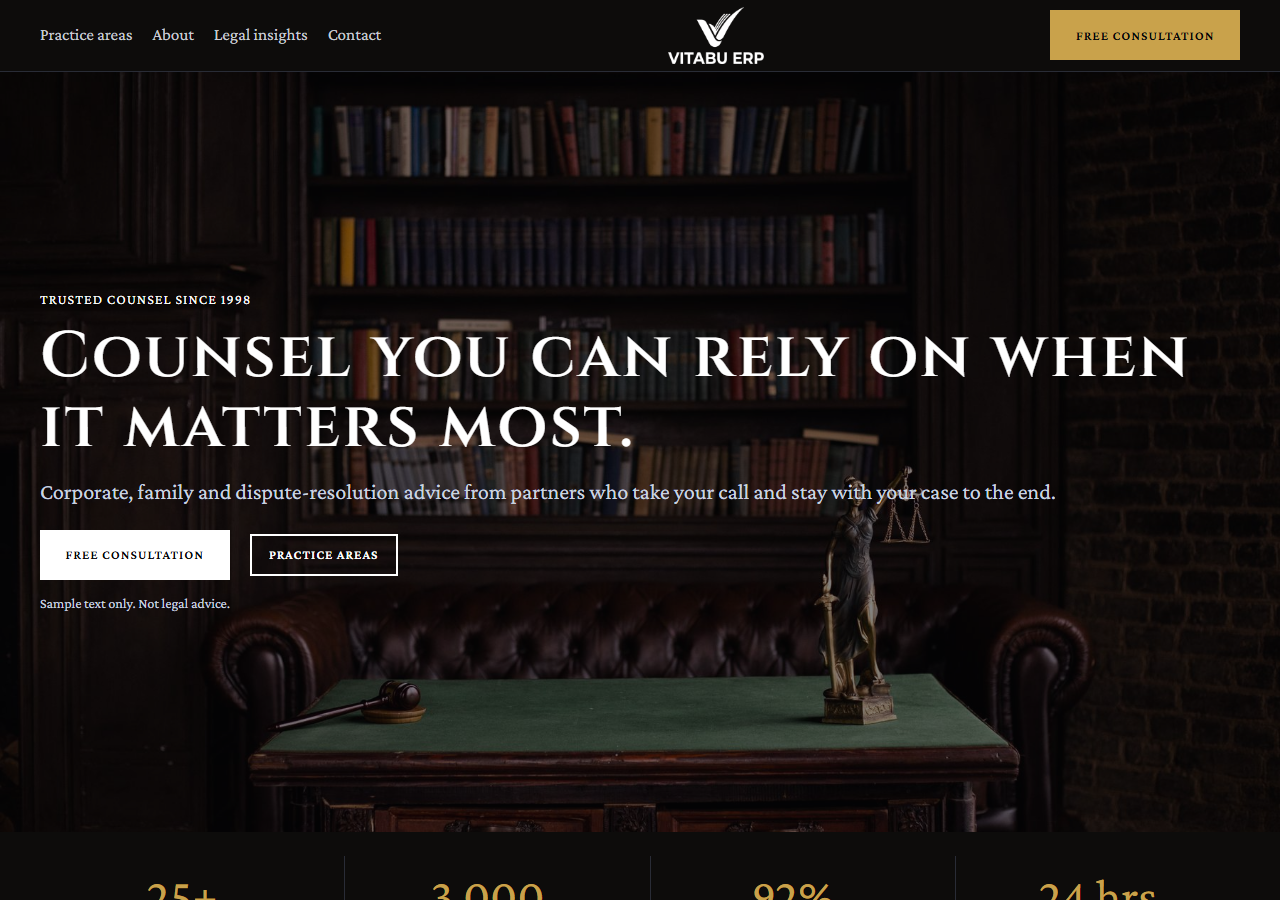
Sterling is a full website template for law firms and professional practices. It includes a photography-led hero with a live-availability badge, practice-area-tabbed services (Corporate, Litigation, Family & Estate — real interactive tabs), an attorney team section with real portrait photography, client results/testimonials, a working consultation-request form, an FAQ accordion, and hours & location. Built with plain HTML, CSS and vanilla JavaScript — no build step, no framework dependency. Fully responsive with a persisted dark-mode toggle and scroll-reveal animations. One brand color (muted gold), sharp corners, numbered indices instead of icons, Libre Baskerville display serif paired with Inter sans — restyles cleanly to match your own firm's brand by editing a handful of CSS custom properties.
Platform compatibility
| Edition | Responsive | RTL | Translation-ready | Dark mode | Version |
|---|---|---|---|---|---|
| HTML5 (Vanilla CSS/JS) | ✓ | — | — | ✓ | 1.0.0 |
Documentation
Getting started
1. Unzip the downloaded package. 2. Open `index.html` directly in a browser to preview it, or upload the whole folder to your web host. 3. All styling lives in `assets/css/styles.css` — the brand color, borders and spacing are controlled by the CSS custom properties (variables) at the top of the file. Change `--c-primary` to restyle the whole site to your brand. 4. All interactivity — the mobile menu, dark mode toggle, practice-area tabs, FAQ accordion and consultation form — lives in `assets/js/main.js`, plain vanilla JavaScript with no dependencies or build step. 5. Replace the placeholder attorney photos, firm name and copy in `index.html` with your own content. Photos live in `assets/img/`. 6. The consultation request form is UI-only by default — wire the form submission up to your own backend or an intake service to receive real requests.
Editing the practice area tabs
The Practice Areas section's three tabs are plain markup, not a component: each button in `.prac-tabs` carries a `data-prac` attribute matching a `.prac-panel`'s `data-panel` attribute, and `main.js` just toggles an `is-active` class on click — add, remove or rename a practice area by editing both the button and its matching panel, no JavaScript changes required. Each service card inside a panel uses a numbered index (`01`, `02`...) instead of an icon — this is a deliberate design choice, not a missing asset. The photography (hero image and attorney portraits) is free-to-use stock photography sourced from Pexels — swap the files in `assets/img/` for your own firm's photos and real attorney portraits before going live.
Reviews
No reviews yet — be the first to share your experience.
Related themes