Avado
A premium multipurpose WordPress theme with a page builder, 120 design elements, headers and footers you design yourself, forms, WooCommerce, and 18 ready-to-import demo sites.
About this theme
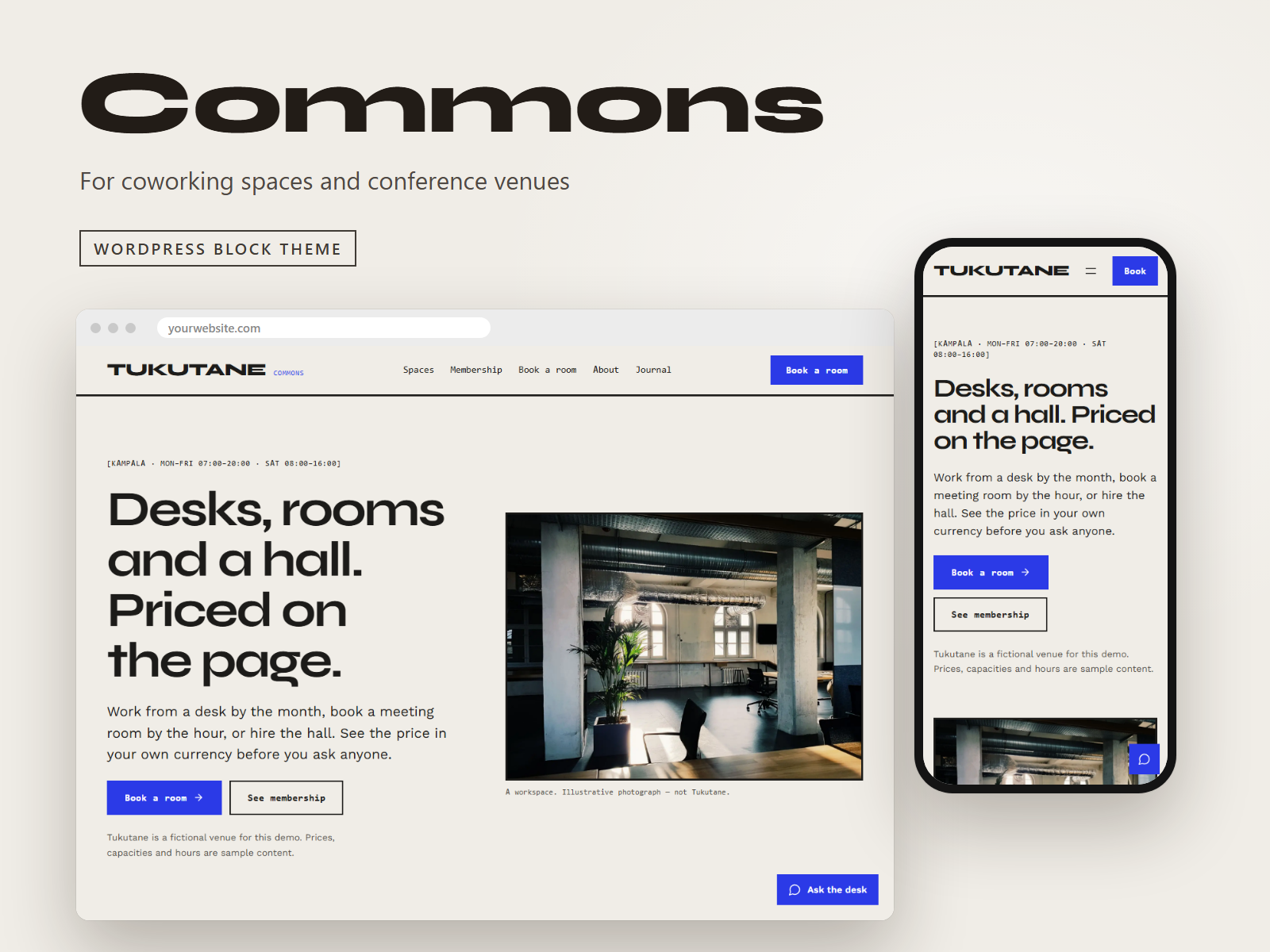
Avado is a multipurpose theme for business, agency, shop, restaurant, clinic, school, charity and portfolio websites. It is delivered as four packages that work together: the Avado theme, an optional child theme, and two plugins, Avado Core and Avado Builder, that add the page builder and everything built on it. Design a site visually, on the real page • A front-end live editor works on the actual, styled page, and a wp-admin wireframe editor edits the same content without loading the front end. Both share one document model, so a page opens and saves the same in either. • 120 design elements in nine categories: basic, content, media, interactive, marketing, site building, dynamic content, forms and WooCommerce. Every element has real settings, responsive visibility and a live preview. • Headings, cards and call-to-action blocks let you choose the heading level for a correct document outline. Your own headers, footers and layouts • Avado Layouts builds headers, footers, title bars and content layouts with the same builder, and shows each one wherever your display conditions say: by page type, a specific page, category, tag, author or date archive, with include and exclude rules. • Mega menus, off-canvas panels and popups (timed, exit-intent, scroll depth or click) use the same builder. Forms and shops • Avado Forms: ten field types, conditional logic, AJAX submission with spam protection, entries saved in the dashboard and exportable to CSV. • WooCommerce: a product grid and carousel with quick view and wishlist, a mini-cart drawer, live product search and variation swatches, all through the WooCommerce Store API with no jQuery. A design system, not a pile of options • A named 15-role colour palette with eight presets that pass WCAG AA contrast, fluid type that scales smoothly between phone and desktop, and locally hosted fonts, so nothing is fetched from a third-party font service. • 140 settings in 12 panels with a live preview, per-section reset and settings import and export. • The theme's own front-end scripts are vanilla JavaScript with no jQuery, right-to-left languages are supported, and every string is translation-ready. Language-switcher support for WPML and Polylang is included, and breadcrumbs defer to Yoast SEO or Rank Math when either is active. 18 demo sites you can import in a click Import a complete site (pages, menu and colour palette) from Appearance, Import Demo Content, and remove it again just as easily: removing a demo restores your previous front page and menu. The demos are Studio (agency), Bistro (restaurant), Counsel (law firm), Launchpad (software), Fitline (gym), Hearth (estate agent), Atelier (photography), Bloom (florist), Verdant (landscaping), Clinic (dental), Academy (online courses), Voyage (travel), Harvest (farm shop), Foundry (manufacturing), Summit (accountancy), Haven (charity), Pawprint (veterinary) and Cadence (music school). Each demo uses real photography, is checked in a browser at desktop and phone width, and passes automated accessibility tests. The demo photographs are stock images from Pexels, included so that the demos look finished; they are covered by the Pexels License and are credited in the package. Replace them with your own before you launch. The download holds the theme, a child theme and the two plugins Avado needs (Avado Core and Avado Builder), the documentation and the photo credits. The live demos are fictional businesses with stock photography; replace the text and images with your own.
Platform compatibility
| Edition | Responsive | RTL | Translation-ready | Dark mode | Version |
|---|---|---|---|---|---|
| WordPress (WordPress Theme + Page Builder) | ✓ | ✓ | ✓ | — | 1.0.0 |
Documentation
Installation & Setup
Installing Avado The download is one package containing four installable zips. Unzip it first, then: 1. In WordPress go to Appearance, Themes, Add New, Upload Theme and upload themes/avado.zip. Activate it. (Optional: upload and activate themes/avado-child.zip instead if you plan to customise templates.) 2. Go to Plugins, Add New, Upload Plugin and upload plugins/avado-core.zip, then activate it. 3. Upload and activate plugins/avado-builder.zip. It needs Avado Core. 4. To start from a demo, go to Appearance, Import Demo Content, choose a demo and select Import. Choose which parts to bring in: pages, menu and colour palette. 5. Open Appearance, Avado Options to set colours, fonts, header and footer. Edit any page with Avado Builder to change its content. Requirements: WordPress 6.6 or later, PHP 8.1 or later. WooCommerce is optional and only needed for the shop elements. The documentation folder in the download lists every element and setting. Demo content Every demo in the live preview can be imported from Appearance, Import Demo Content, and removed again from the same screen. The text, prices and contact details in them are fictional, and the photographs are stock images credited in the download. Support Email support@vitabuerp.com.
Reviews
No reviews yet — be the first to share your experience.