Torque
A bold, structured HTML5 template for auto dealerships and repair shops.
About this theme
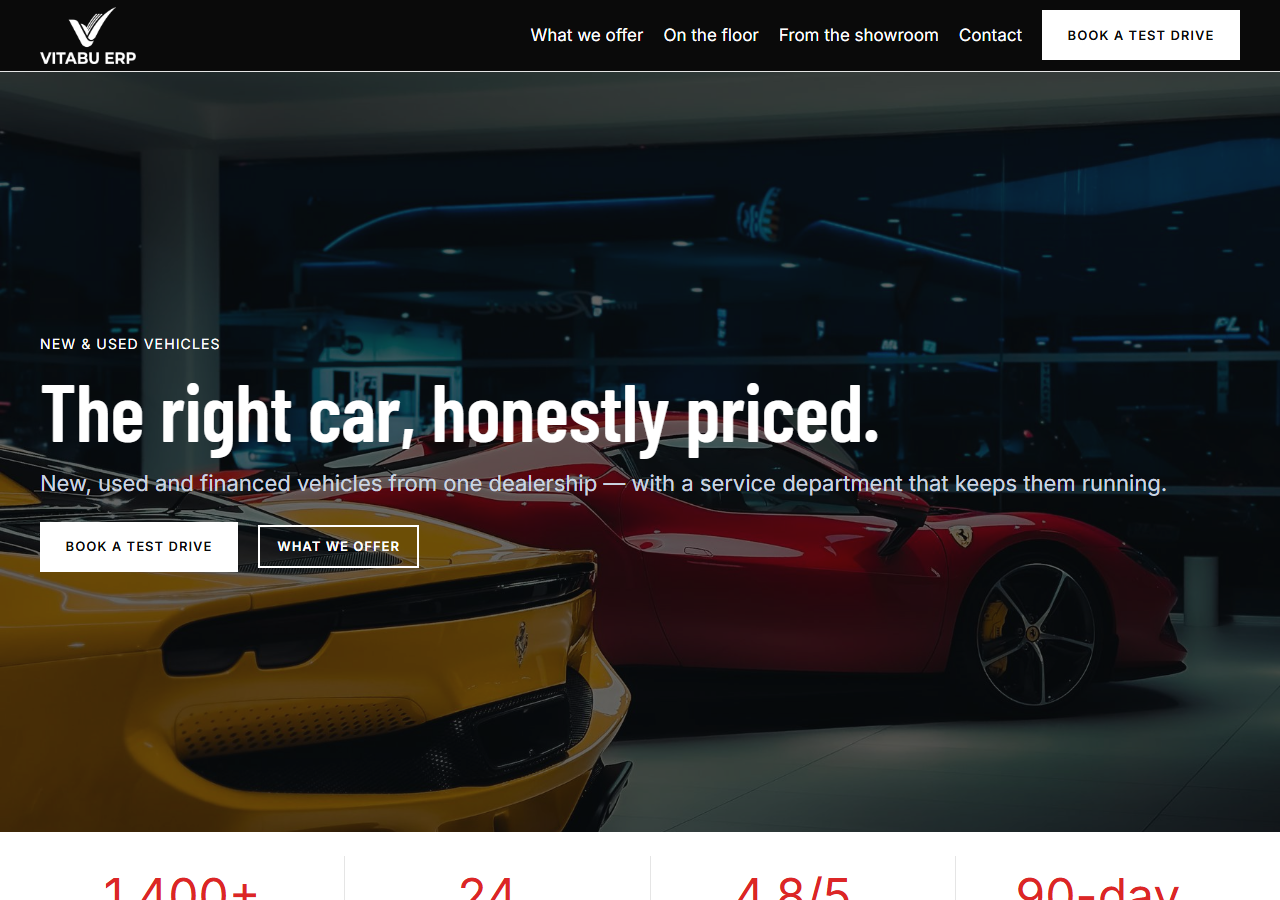
Torque is a full website template for auto dealerships and repair shops. It includes a photography-led hero with a live-availability badge, department-tabbed services (Vehicle Sales, Repair & Maintenance, Parts & Detailing — real interactive tabs), a staff team section with real portrait photography, customer testimonials, a working service-booking form, an FAQ accordion, and hours & location. Built with plain HTML, CSS and vanilla JavaScript — no build step, no framework dependency. Fully responsive with a persisted dark-mode toggle and scroll-reveal animations. One brand color (cobalt blue), sharp corners, numbered indices instead of icons, Oswald condensed display type paired with Inter — restyles cleanly to match your own shop's brand by editing a handful of CSS custom properties.
Platform compatibility
| Edition | Responsive | RTL | Translation-ready | Dark mode | Version |
|---|---|---|---|---|---|
| HTML5 (Vanilla CSS/JS) | ✓ | — | — | ✓ | 1.0.0 |
Documentation
Getting started
1. Unzip the downloaded package. 2. Open `index.html` directly in a browser to preview it, or upload the whole folder to your web host. 3. All styling lives in `assets/css/styles.css` — the brand color, borders and spacing are controlled by the CSS custom properties (variables) at the top of the file. Change `--c-primary` to restyle the whole site to your brand. 4. All interactivity — the mobile menu, dark mode toggle, department tabs, FAQ accordion and booking form — lives in `assets/js/main.js`, plain vanilla JavaScript with no dependencies or build step. 5. Replace the placeholder staff photos, shop name and copy in `index.html` with your own content. Photos live in `assets/img/`. 6. The service-booking form is UI-only by default — wire the form submission up to your own backend or a scheduling service to receive real requests.
Editing the department tabs
The Services section's three department tabs are plain markup, not a component: each button in `.svc-tabs` carries a `data-svc` attribute matching a `.svc-panel`'s `data-panel` attribute, and `main.js` just toggles an `is-active` class on click — add, remove or rename a department by editing both the button and its matching panel, no JavaScript changes required. Each service card inside a panel uses a numbered index (`01`, `02`...) instead of an icon — this is a deliberate design choice, not a missing asset. The photography (hero image and staff portraits) is free-to-use stock photography sourced from Pexels — swap the files in `assets/img/` for your own shop's photos and real staff portraits before going live.
Reviews
No reviews yet — be the first to share your experience.
Related themes